In your pocket

The companion is a whole Mac, one tap away.

A free iPhone and iPad download, built like a toy in a soft 3D clay world, that reaches all the way into the Mac. Pair once with a single-use code, and it keeps finding your machine. Unlimited on your home network; MacOn Pro for reaching it from anywhere.
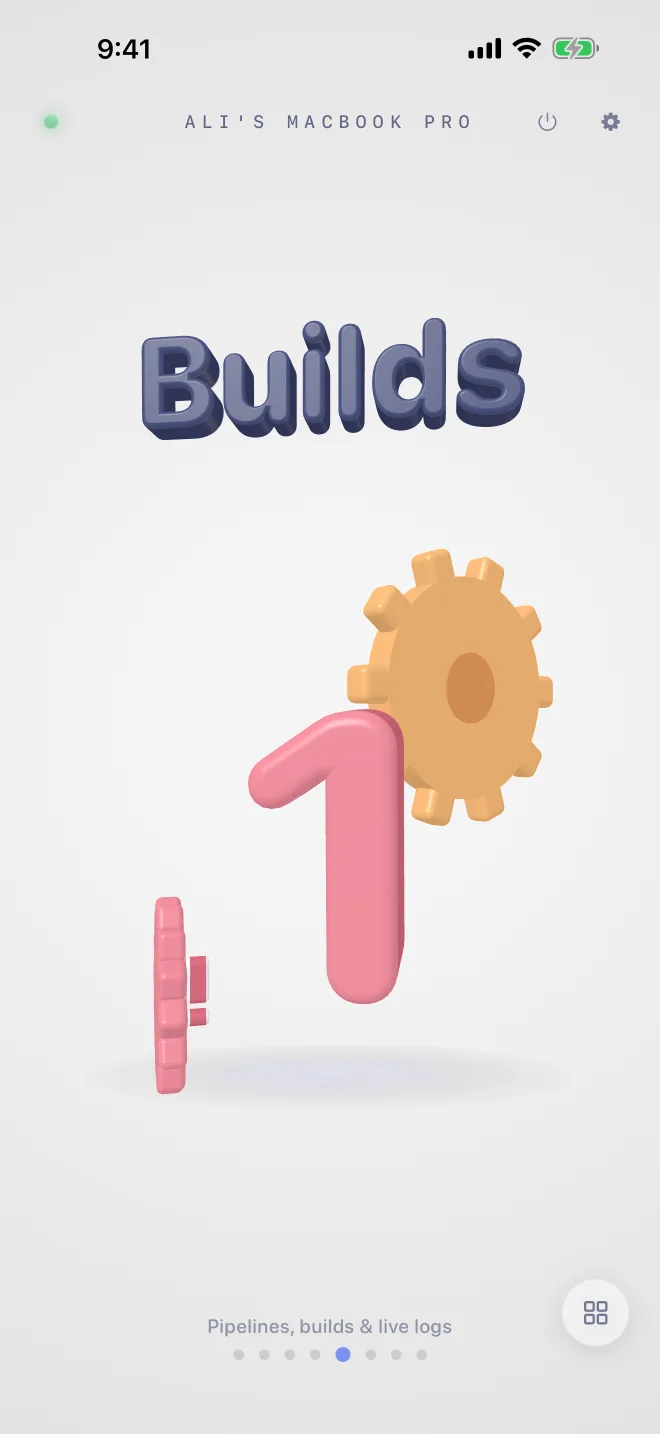
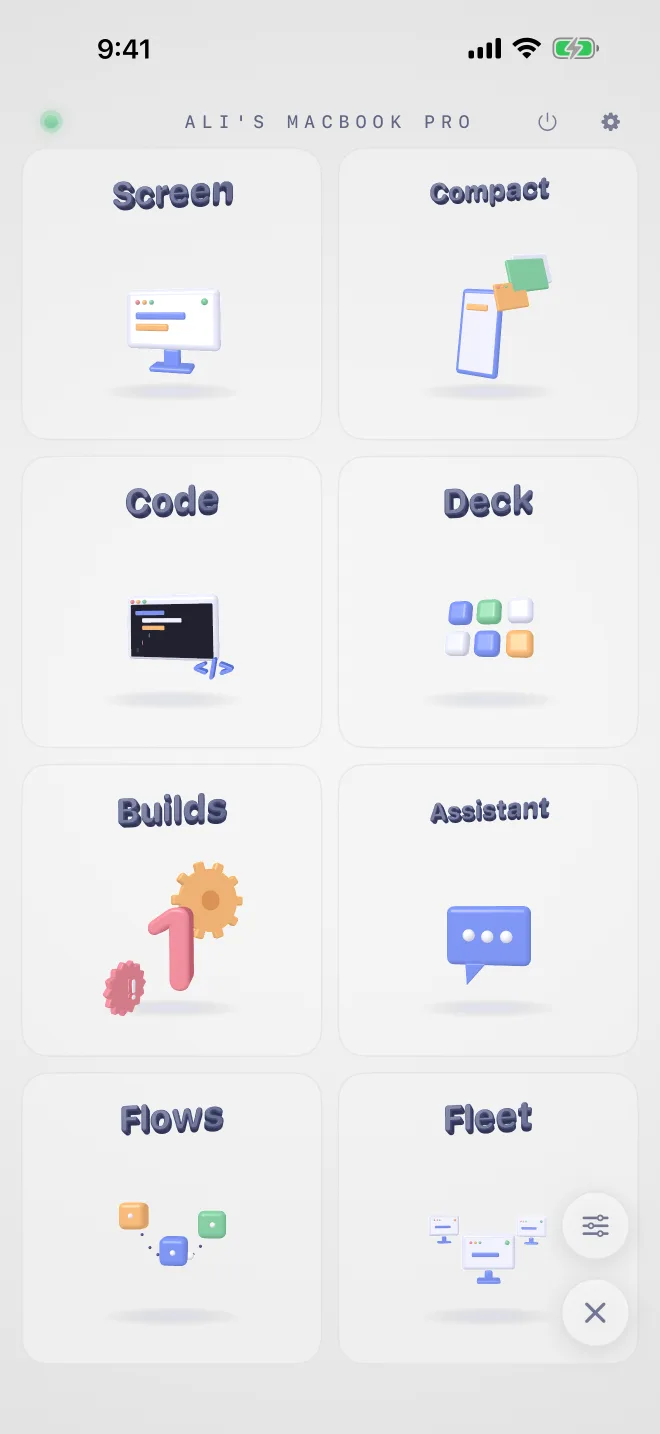
Companion home, alive in 3D
Home, alive in 3D
Every companion feature in one grid
Every feature, one grid
Pairing the companion with a Mac
Pair once, stays found

In your pocket

The companion is more than a dashboard.

A free iPhone & iPad download, built like a toy, in a soft 3D clay world, that reaches all the way into the Mac. Tap through what it does:

esc60fps
🚀⌘K🧪 📦🖥️⏯️ 🔨💬
Trigger AI Shell Notify
$ fastlane test ✓ 128 tests passed
Run the beta pipeline, then TestFlight it Build passed ✅, uploading to TestFlight…

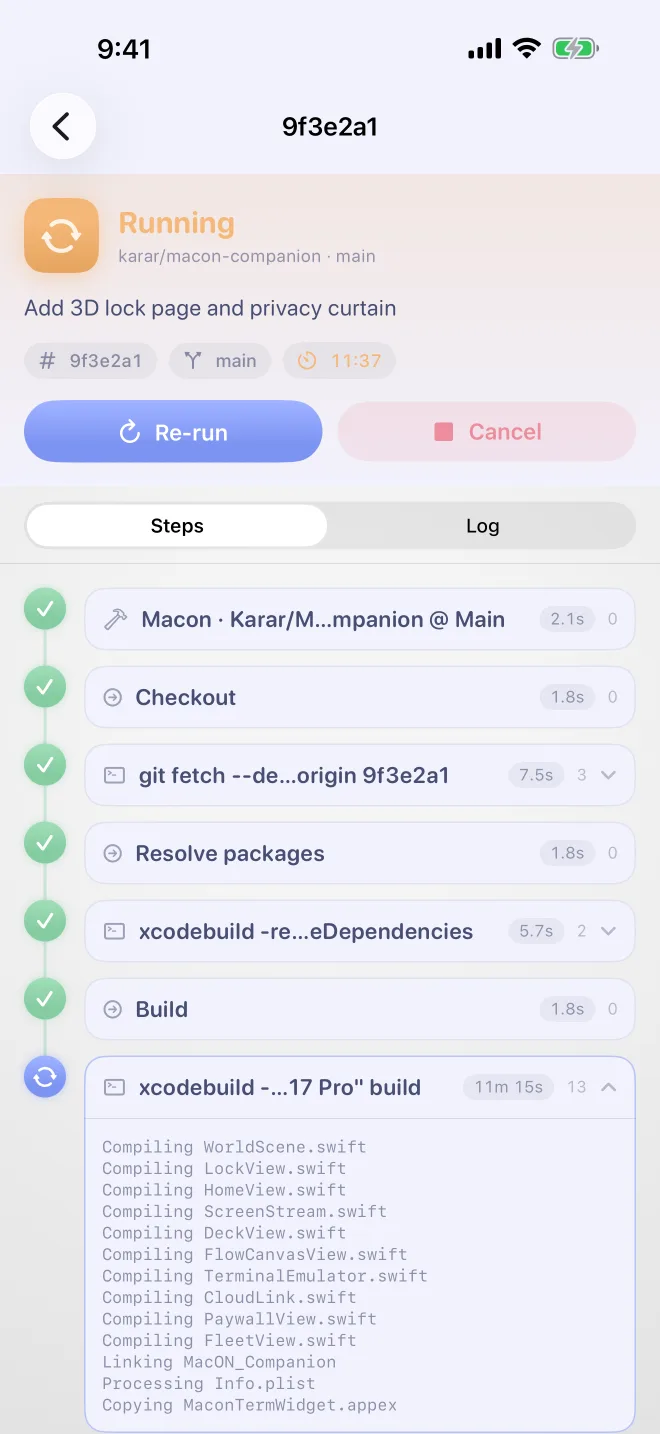
Every pipeline as a live step timeline, watch, run, re-run, cancel, or edit it from the couch.

Monitor & manage

Builds, live, and yours to command.

Every run is a step-by-step timeline with streaming logs, durations, and the raw console one tap away.

  • Watch, run, re-run, cancel any pipeline, long-press a run for the quick menu.
  • Add and edit pipelines with searchable repo & branch dropdowns; tokens never leave the Mac.
  • Push notifications when builds start, pass, or fail.

Step timelines

Logs parsed exactly like the desktop app: each step timed and expandable, live over WebSocket, deduped as it streams.

The full editor, phone-sized

Provider, workspace, repo, branch, poll vs webhook, pipeline file, timeouts, the entire pipeline editor works from the device.

See & drive

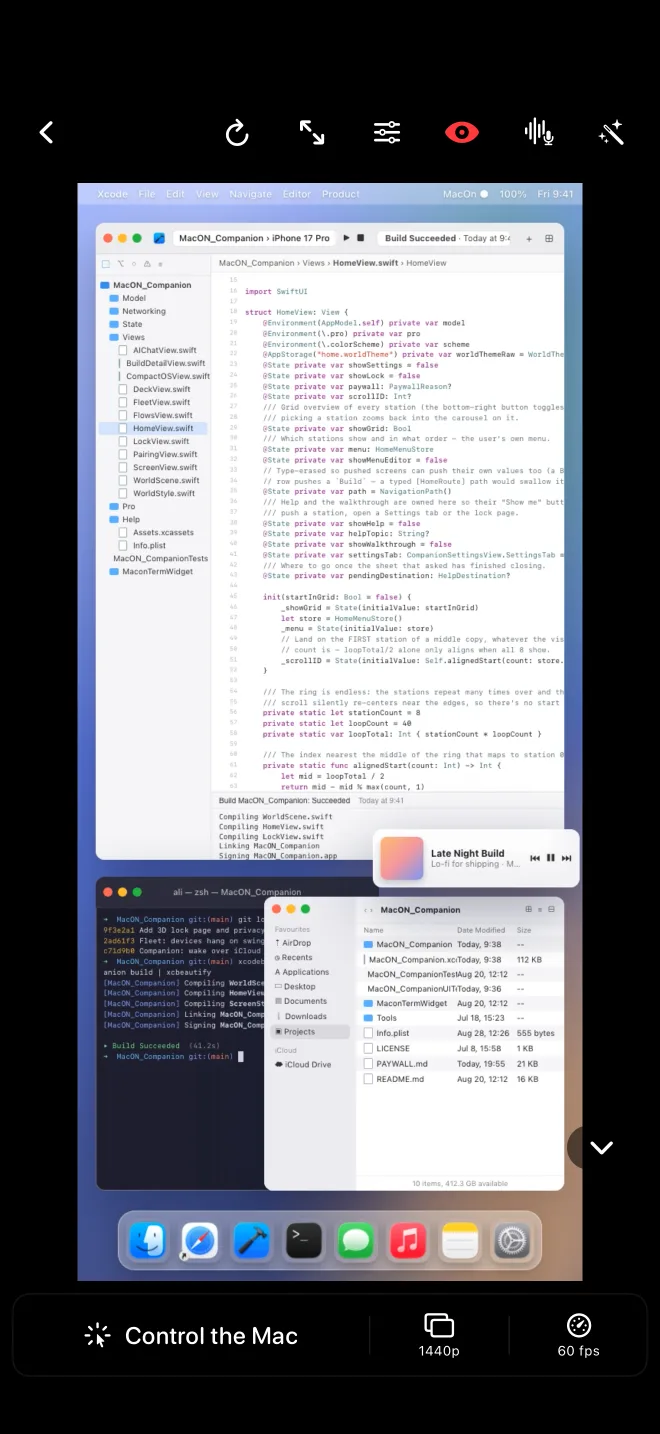
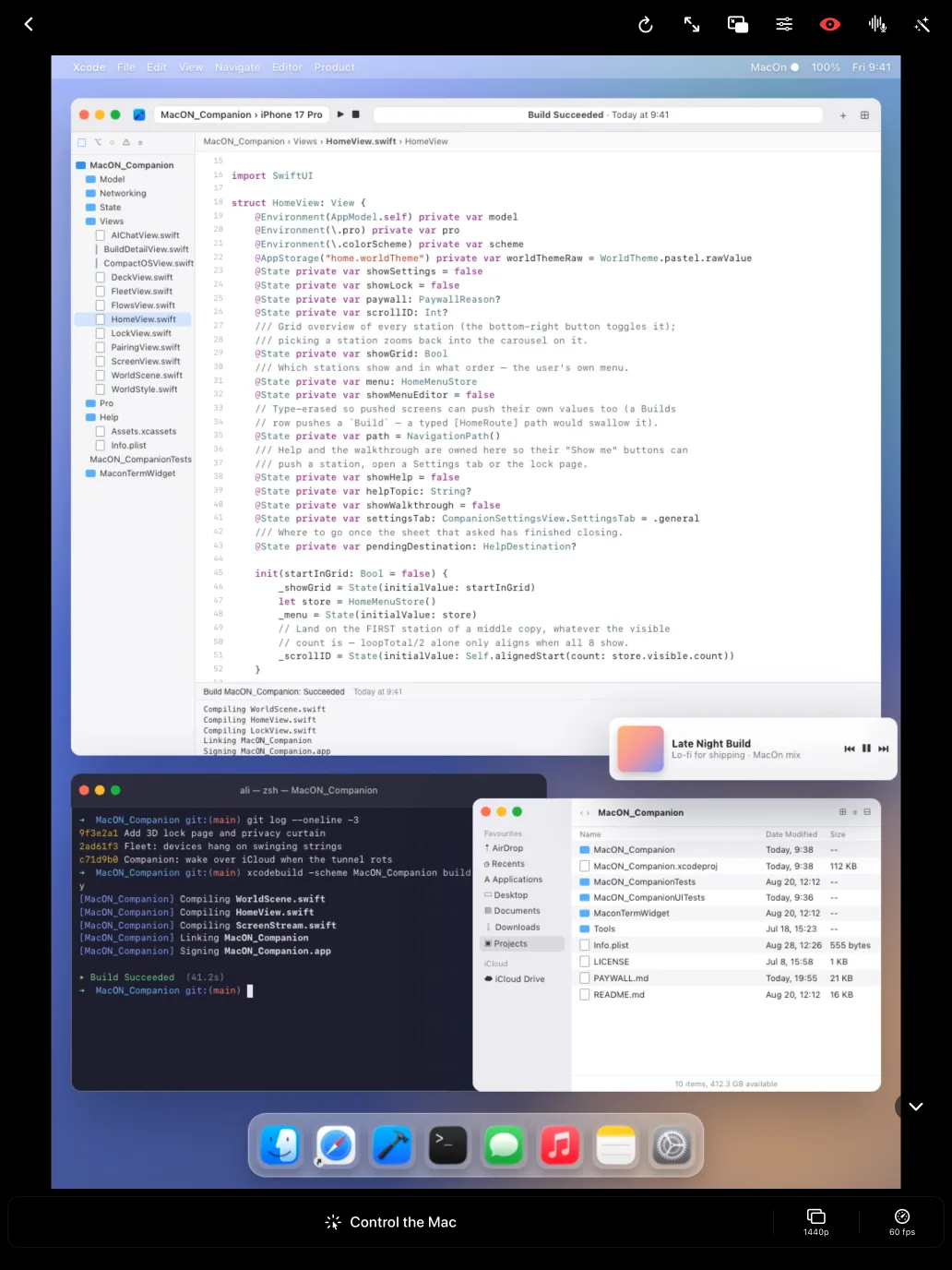
The Mac's screen, in your hand.

Hardware-encoded H.264 out of the Mac, hardware-decoded on the phone, so 60 fps doesn't stutter, and 120 fps is real on ProMotion.

  • Resolution & frame rate, live: 360p → full, 30/60/120 fps, adaptive bitrate for weak links.
  • Touchscreen or virtual trackpad, tap-to-click or laptop-style relative moves, with adjustable size, opacity and sensitivity.
  • A Sidecar-style Touch Bar: sticky ⌘⌥⌃⇧ modifiers, spaces, Mission Control, media keys, volume.
  • CompactOS: tap a Mac app and it refits to your device, big readable text, direct touch, window switcher, keyboard-aware.

CompactOS, Mac apps, phone-sized

Streams just one window, resized to your screen and orientation. Your Mac's apps behave like phone apps, Xcode included.

Capture that respects you

Runs only while someone is watching, gated by an explicit toggle on the Mac, and macOS Screen Recording permission.

Automate

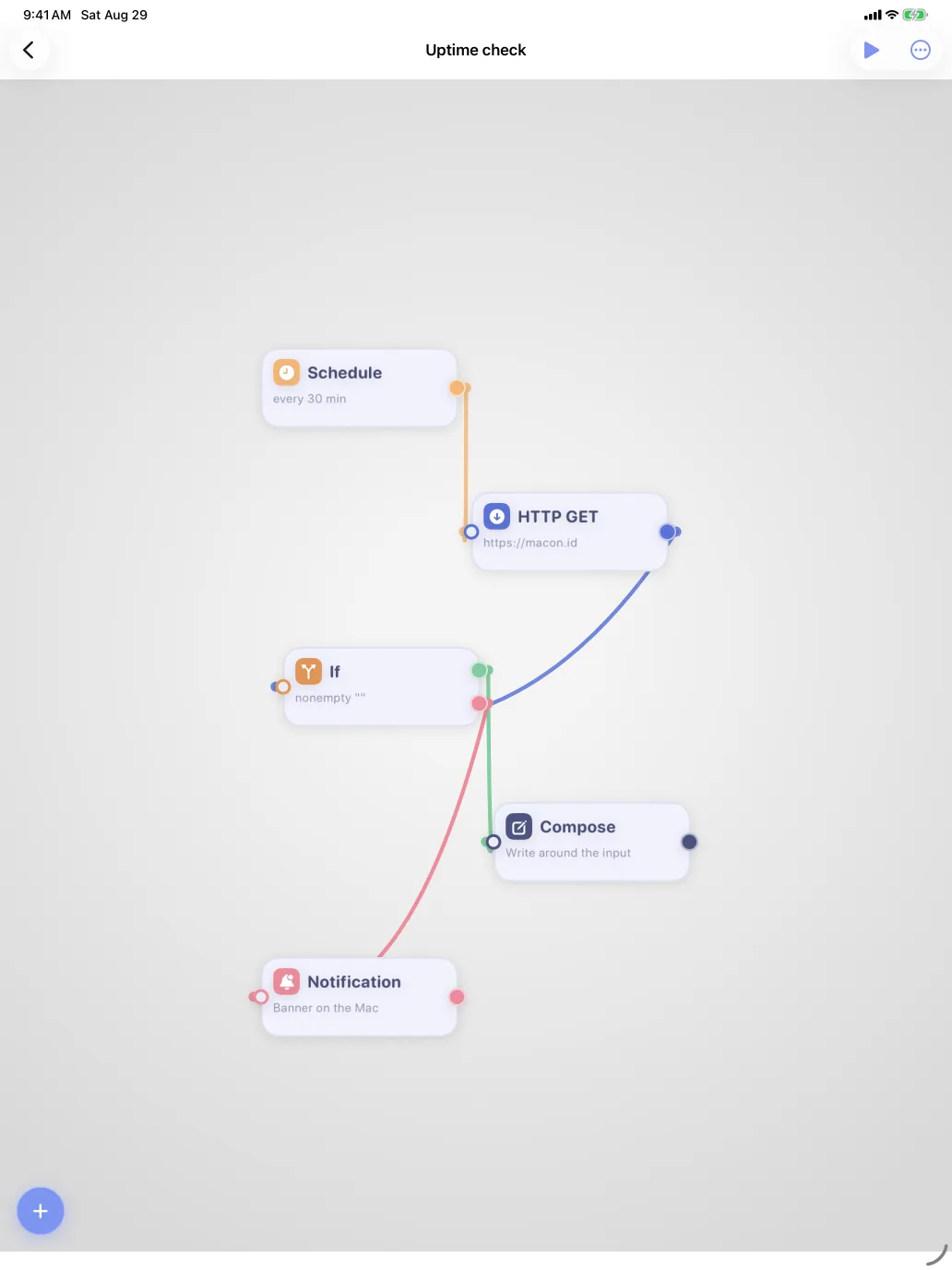
A deck of keys and a canvas of flows.

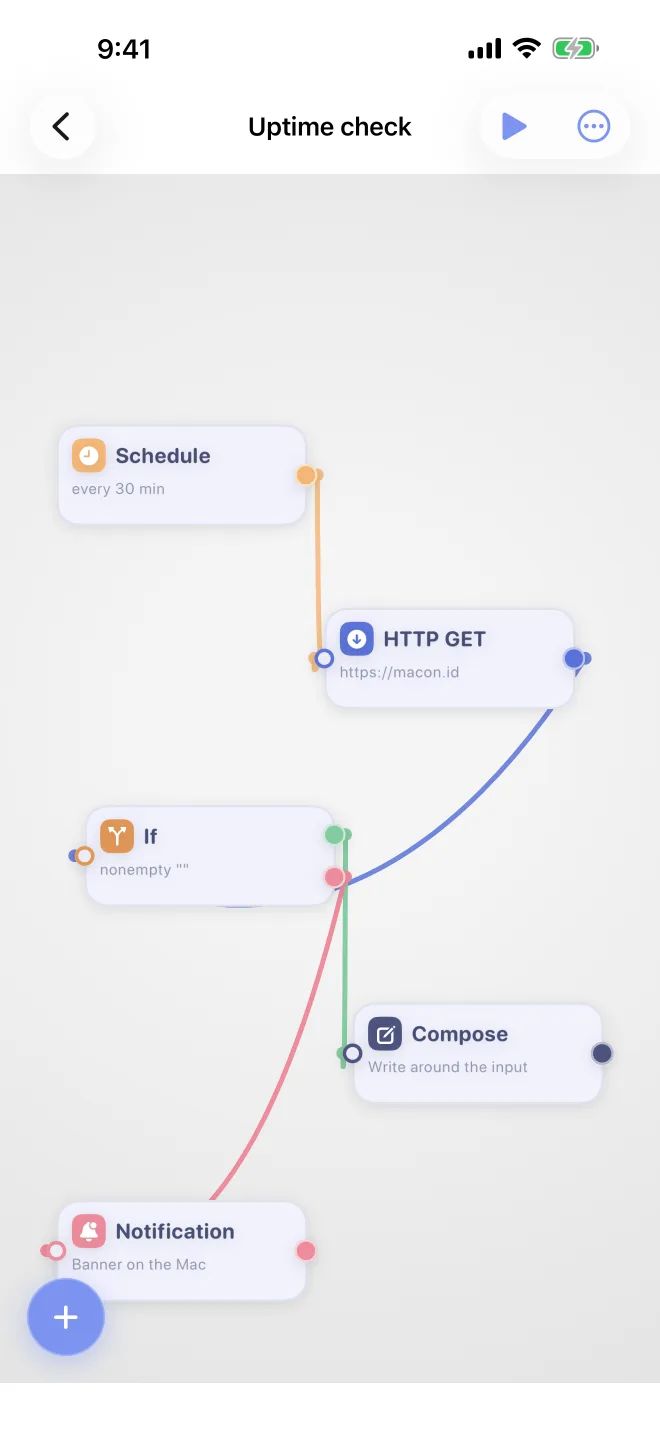
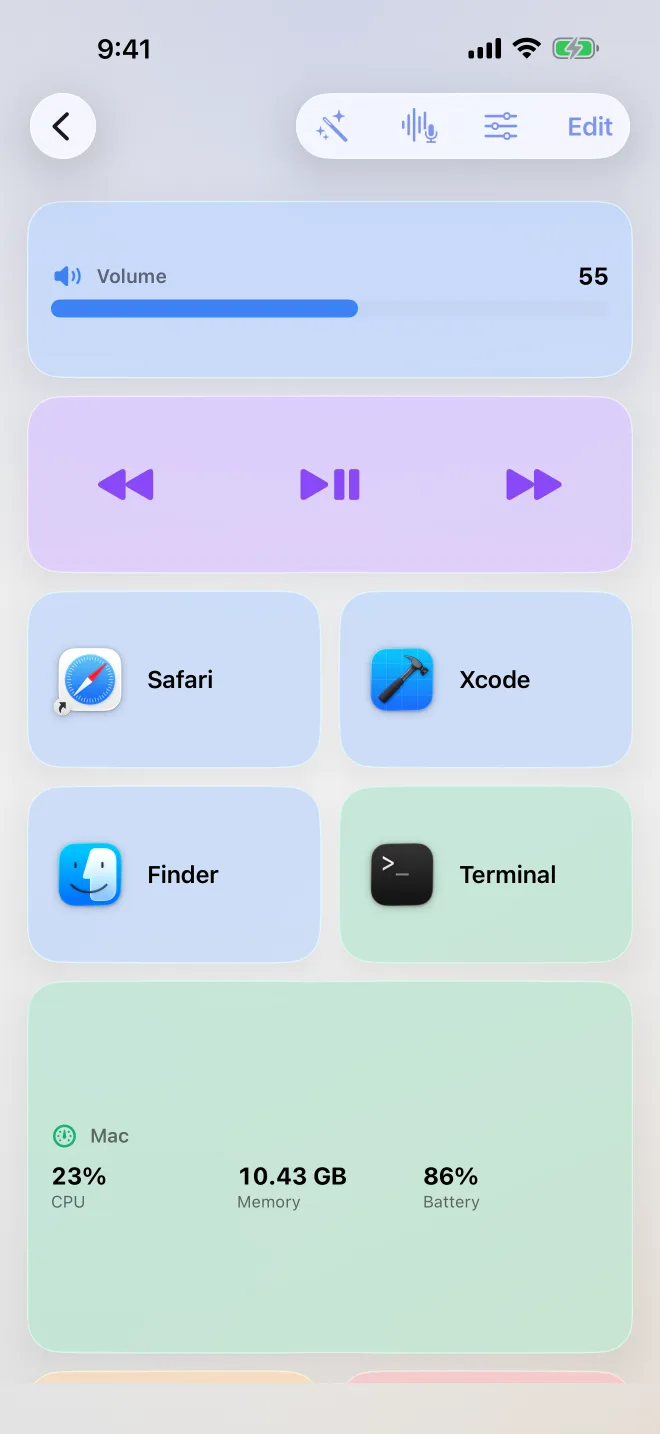
Turn the device into a Stream Deck, then go further and wire up whole automations as clay blocks on physically swinging strings.

  • Deck keys launch Mac apps (with their real icons), fire ⌘⌥⌃⇧ shortcuts, or run sequences, open Chrome → wait → type → return.
  • Flows chain shell, HTTP, JSON, files, PDF, clipboard, screenshots and AI blocks; the Mac executes, you watch per-block results live.
  • Describe it instead: type or dictate “every morning, fetch HN, summarize, speak it” and the AI composer wires the blocks for you.

Shortcuts deck

Fully customizable keys, labels, emoji, colors, with drag-rearrange and a fill-screen grid. Liquid-glass pretty, one-tap fast.

Flows with real physics

The canvas ropes sag and swing (verlet simulation). Off by default on the Mac, flows run shell commands, so you opt in explicitly.

Code

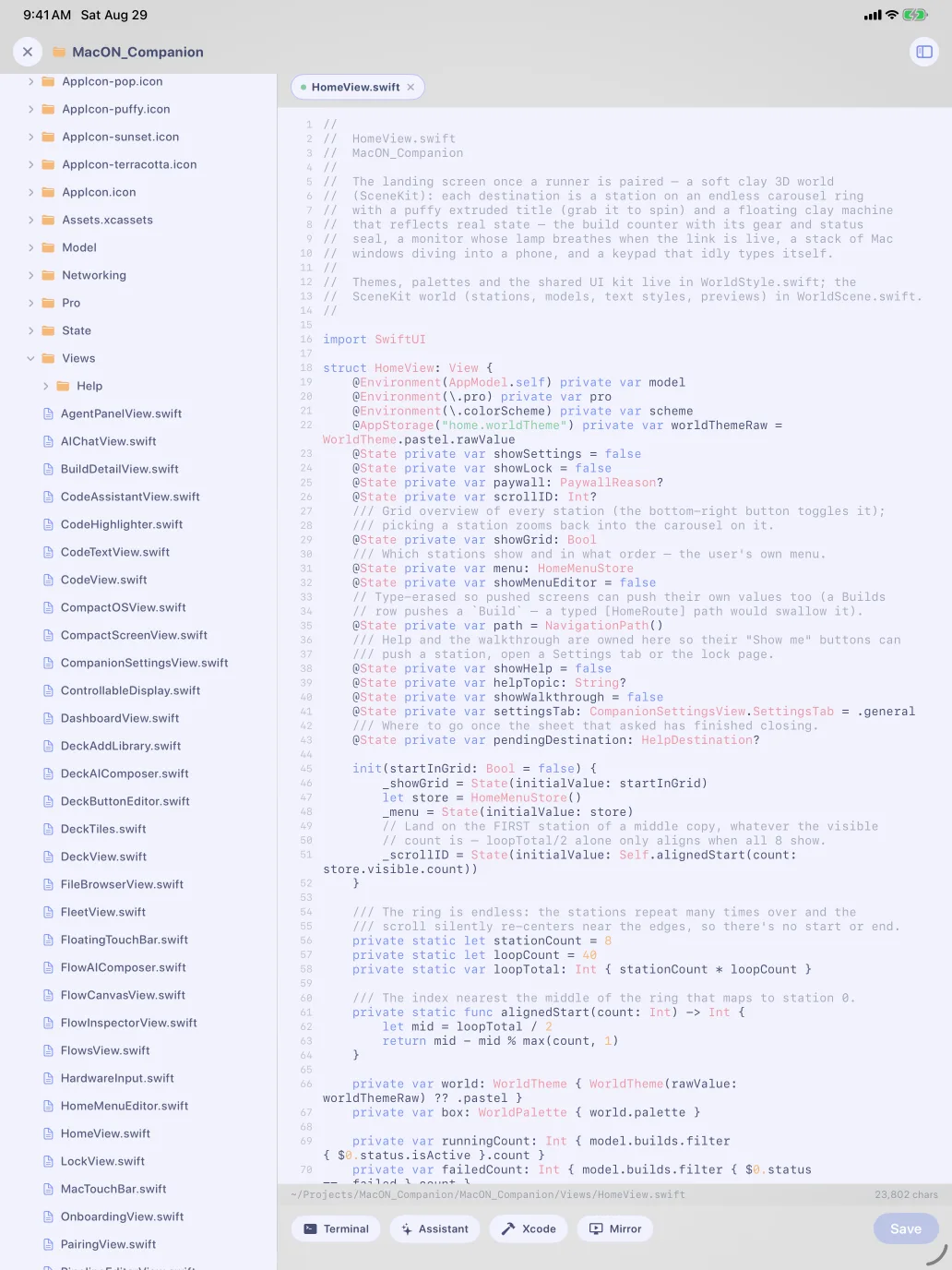
A pocket dev environment.

The workspace is a mini IDE pointed at your Mac: browse the repo, edit with tabs, run real terminals, build with Xcode.

  • File explorer + tabbed editor, type locally with zero latency, save syncs back to the Mac.
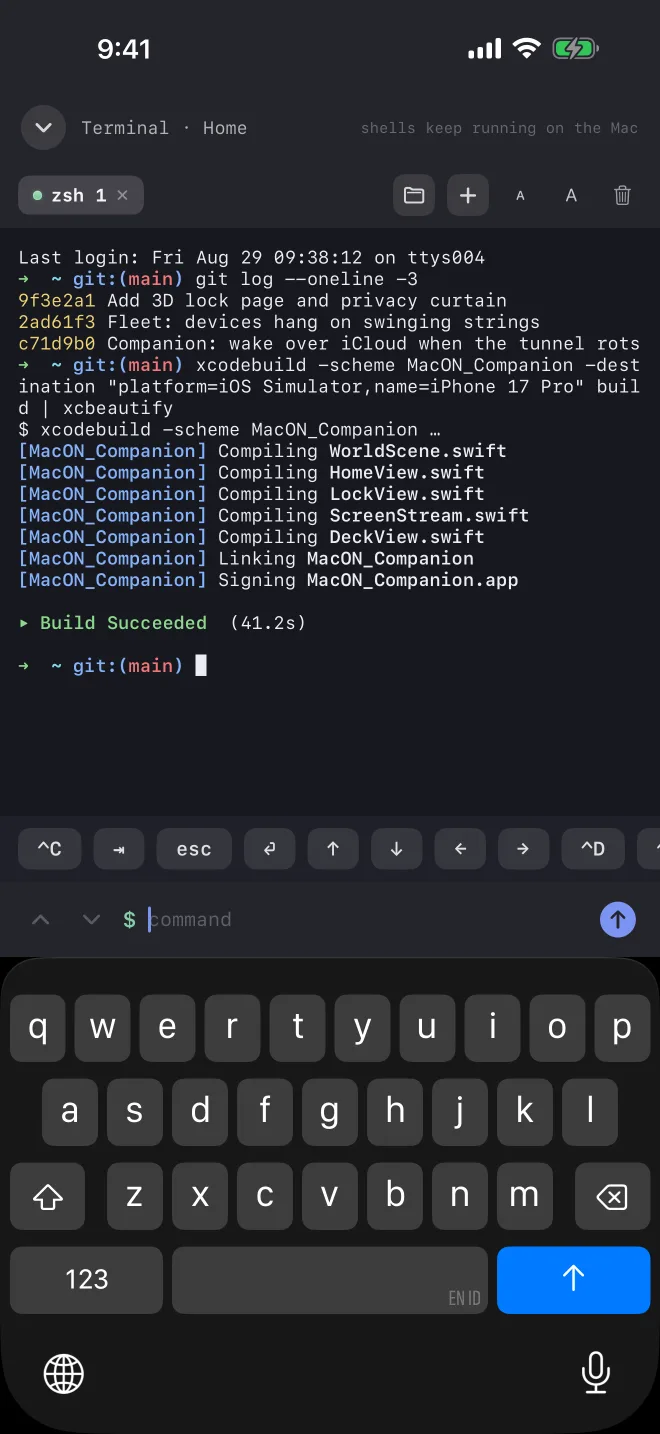
  • Real zsh terminals, multiple tabs, ANSI colors, a key row for Ctrl-C/Tab/arrows, scrollback survives closing the panel.
  • Xcode in the loop: pick a scheme, build, test, clean, right from the device.
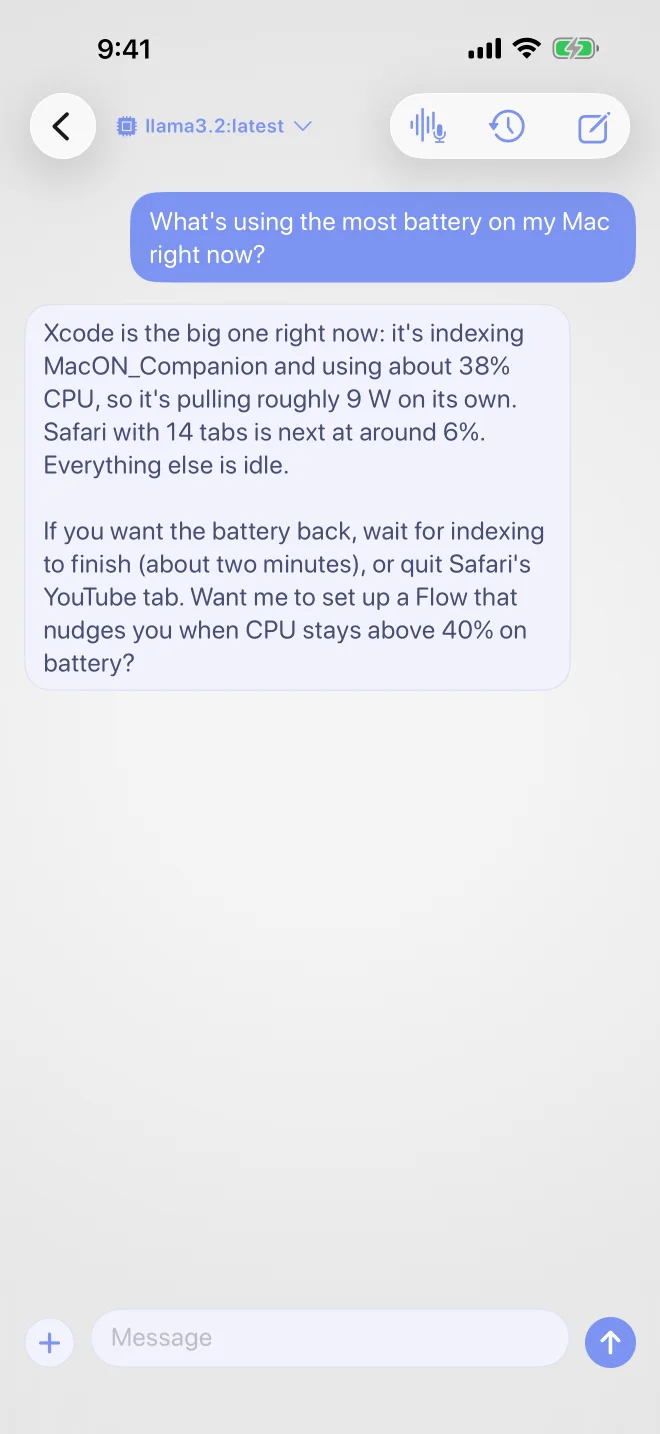
  • Code assistant with the open file as context and @-mentions for more, Claude with your key, or local Ollama models.

Tabbed terminals

Independent PTYs at the workspace root. Tail a build, poke a simulator, commit a fix, like VS Code's panel, on a phone.

Fix the pipeline from bed

Build broke on a YAML typo? Open macon.yml in the workspace, fix it, save, re-run, without standing up.

Talk to it

An AI copilot for the whole Mac.

Chat with models running on your own hardware, or hand the Mac a task out loud and watch it work.

  • Local AI chat via Ollama on the Mac, private, on-device, with image and PDF attachments.
  • Voice chat that speaks back (a Piper voice on the Mac, if installed), hands-free mode keeps the conversation going.
  • Dictate-to-drive agent: it reads the screen and accessibility tree, plans steps, and drives the Mac, pausing for your approval in supervised mode.
  • Web too: with Playwright installed, the agent automates a real browser alongside Mac apps.

Voice agent, supervised

Watch the live screen while the agent works underneath, approving each step, or let it run and barge in by talking over it.

Bring your own AI

Claude, OpenAI, Gemini, a local Ollama model, or any OpenAI-compatible endpoint. Keys live in the Mac's Keychain, never on the phone. All of it optional.

Power & presence

Wake it, unlock it, never lose it.

The companion keeps the Mac reachable and brings it back to life from anywhere, every power an explicit, opt-in toggle.

  • Stay awake & wake: a power assertion keeps it reachable; a Wake-on-LAN magic packet raises it from sleep.
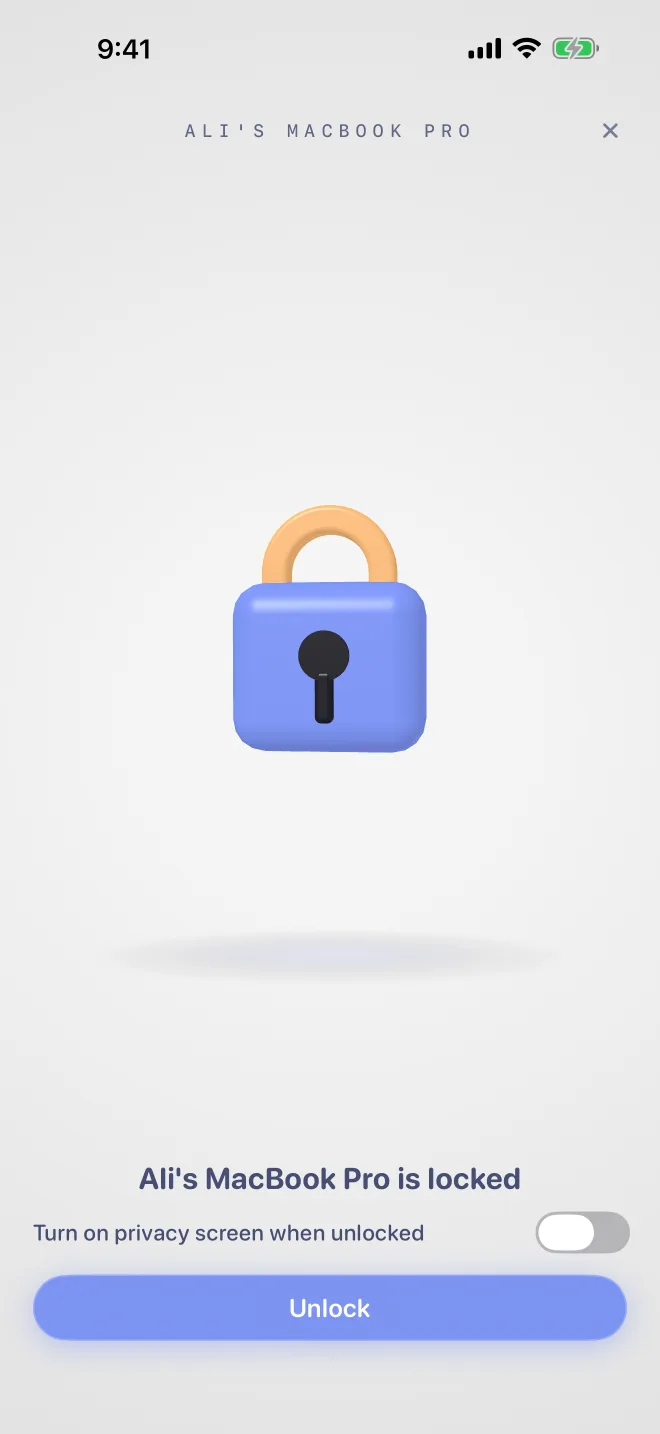
  • Unlock from the phone: a themed 3D padlock page that animates open, typing a password stored only in the Mac's Keychain.
  • Privacy curtain: a customizable “please don't touch” wall over the physical screen while you drive remotely, burn-in aware, hotkey-dismissed.
  • Always connected: optional iCloud beacon re-points the phone when a tunnel URL rotates. Pair once, never re-type an address.

Wake & unlock

Works on the LAN or through a free Cloudflare tunnel, and over iCloud even when both are down. Honest about limits: FileVault preboot stays locked.

Fleet map

Your Mac at the center, every paired device hanging on a swinging string, live glow for the active ones, drag them around for fun.